Fixing YouTube Embed Error 153 in Elementor Advanced Accordion
Table of contents
If you’ve embedded YouTube videos inside an Elementor Advanced Accordion and started seeing Error 153 — Video Player Configuration Error, you’re not alone. This guide walks through exactly how we diagnosed and fixed it, so you don’t have to spend hours going in circles.
What is Error 153?
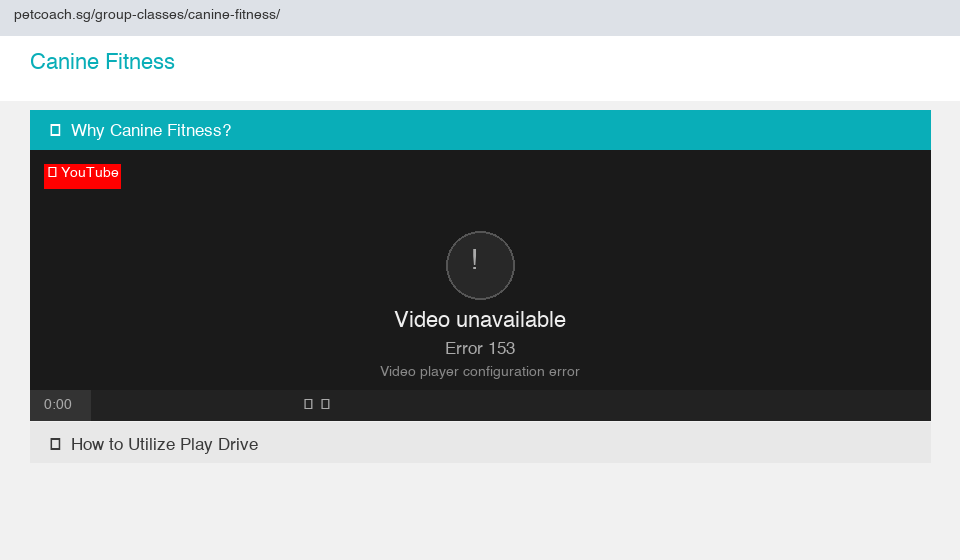
Error 153 is a YouTube embedded player error that reads:
“Video unavailable — Error 153, Video player configuration error”
It started appearing more frequently in late 2025 after Google tightened its embed security requirements. YouTube’s embedded player now requires a valid HTTP Referer header to confirm which site is embedding the video. If that header is missing or stripped, YouTube rejects the request.
The Root Cause
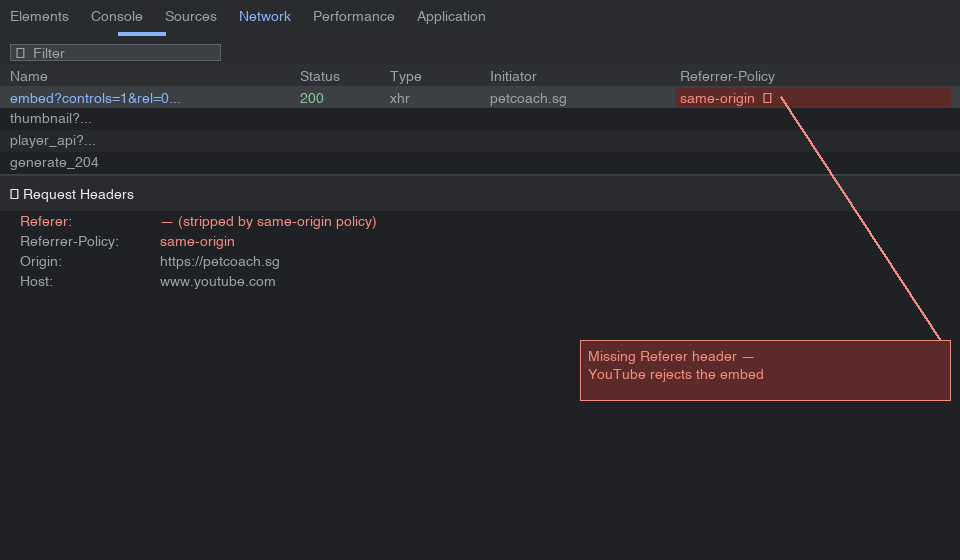
The issue comes down to the Referrer Policy. When your page sends a Referrer-Policy: same-origin or no-referrer header, the browser strips the referrer for all cross-origin requests — including requests to YouTube. YouTube sees no referrer and throws Error 153.
You can confirm this in Chrome DevTools:
- Open Network tab
- Reload the page
- Click the YouTube embed request
- Check Referrer Policy in the Headers tab
If it shows same-origin or no-referrer, that’s your culprit.
What We Tried First
Fix 1 — Adding referrerpolicy to the iframe
The first logical fix was adding the referrerpolicy attribute directly to the iframe in Elementor’s HTML widget:
<iframe
    src="https://www.youtube.com/embed/VIDEO_ID"
    referrerpolicy="strict-origin-when-cross-origin"
    allowfullscreen="allowfullscreen">
</iframe>
This should work in theory — the referrerpolicy attribute on an iframe controls what referrer the iframe sends when making requests, independently of the page’s own policy.
Result: Still Error 153.
Fix 2 — Inspecting the Live DOM
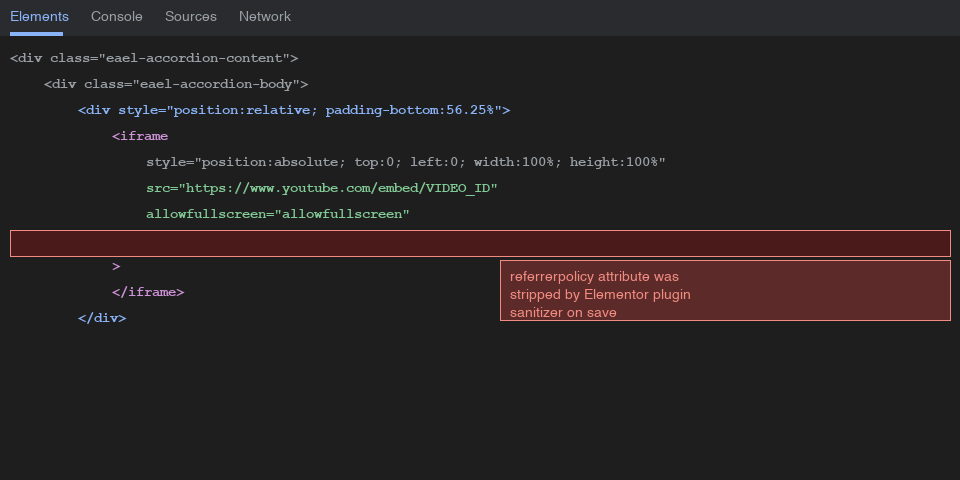
We inspected the live page in Chrome DevTools → Elements tab and found the iframe looked like this:
<iframe style="position: absolute;top: 0;left: 0;width: 100%;height: 100%"
    src="https://www.youtube.com/embed/VIDEO_ID"
    allowfullscreen="allowfullscreen">
</iframe>
The referrerpolicy attribute was completely gone. Something was stripping it before it reached the browser.
Fix 3 — WordPress wp_kses Filter
WordPress sanitizes HTML through wp_kses, which strips attributes not on its allowlist. We added a filter to functions.php to whitelist referrerpolicy:
add_filter( 'wp_kses_allowed_html', function( $tags, $context ) {
    $tags['iframe'] = array(
        'src'             => true,
        'height'          => true,
        'width'           => true,
        'frameborder'     => true,
        'allowfullscreen' => true,
        'allow'           => true,
        'loading'         => true,
        'referrerpolicy'  => true,
        'style'           => true,
        'class'           => true,
        'id'              => true,
    );
    return $tags;
}, 10, 2 );
Result: Still being stripped.
Fix 4 — Debug Logging to Find the Culprit
We added logging to confirm whether wp_kses was even the problem:
add_filter( 'wp_kses_allowed_html', function( $tags, $context ) {
    error_log( 'wp_kses context: ' . print_r( $context, true ) );
    error_log( 'iframe tags allowed: ' . print_r( $tags['iframe'] ?? 'NOT SET', true ) );
    // ... rest of filter
}, 10, 2 );
With WP_DEBUG_LOG enabled in wp-config.php:
define( 'WP_DEBUG', true );
define( 'WP_DEBUG_LOG', true );
define( 'WP_DEBUG_DISPLAY', false );
The logs confirmed referrerpolicy was in the allowed list — meaning wp_kses wasn’t the problem. The stripping was happening earlier, inside the Elementor/plugin save pipeline itself, before WordPress ever processed it.
[03-Apr-2026 05:04:00 UTC] wp_kses context: post
[03-Apr-2026 05:04:00 UTC] iframe tags allowed: Array
(
    [referrerpolicy] => 1
    ...
)
The Fix That Worked — PHP Shortcodes
Since the Easy Accordion Elementor plugin was sanitizing the iframe HTML during save, the solution was to bypass the editor entirely by generating the iframe from PHP via a shortcode. PHP output is never run through the plugin’s sanitizer.
Add shortcodes to your child theme’s functions.php:
add_shortcode( 'video_why_train_your_dog', function() {
    return '<div style="position: relative; padding-bottom: 56.25%; height: 0; overflow: hidden;">
        <iframe style="position: absolute; top: 0; left: 0; width: 100%; height: 100%;"
            src="https://www.youtube.com/embed/VIDEO_ID?controls=1&rel=0&playsinline=0&autoplay=0&enablejsapi=1"
            allowfullscreen="allowfullscreen"
            referrerpolicy="strict-origin-when-cross-origin"
            title="Why Train Your Dog">
        </iframe>
    </div>';
} );
Then in the Elementor accordion content, simply place:
[video_why_train_your_dog]
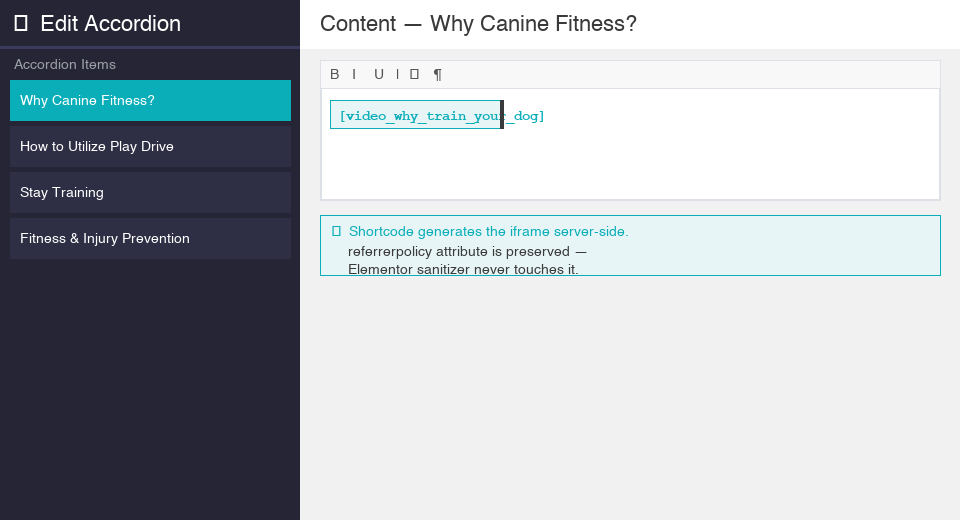
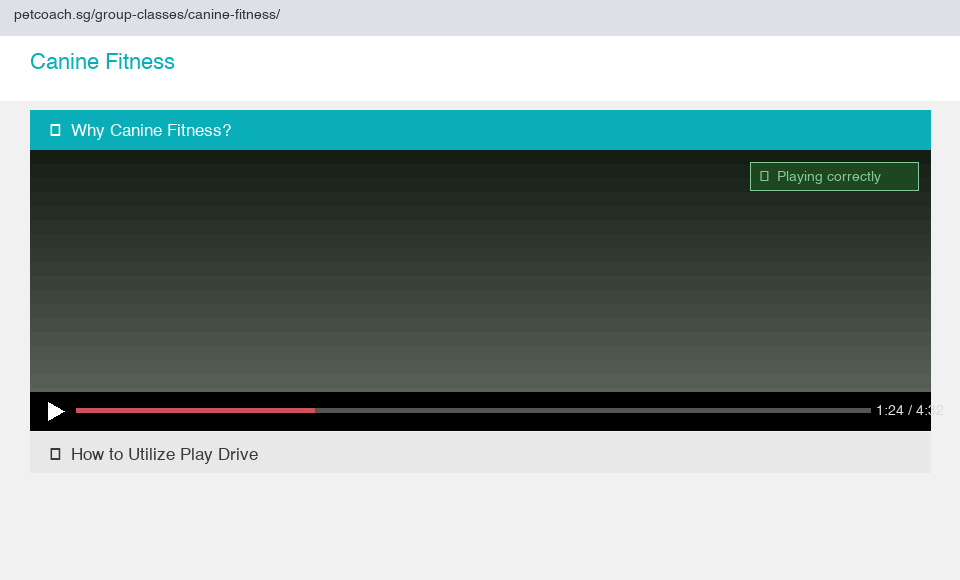
The iframe is now generated directly by PHP with referrerpolicy="strict-origin-when-cross-origin" intact, completely bypassing Elementor’s sanitization.
Why This Works
| Approach | What happens |
|---|---|
| iframe in Elementor HTML widget | Plugin sanitizer strips referrerpolicy on save |
wp_kses filter | Runs too late, after plugin already stripped it |
| PHP shortcode | Generated server-side, never touches the plugin sanitizer |
The referrerpolicy="strict-origin-when-cross-origin" attribute tells the browser to send the origin as the referrer for cross-origin requests — exactly what YouTube needs to validate the embed.
Scaling This Pattern
If you have multiple videos, register a shortcode for each one in functions.php. Keep a consistent naming convention like video_ followed by the section title in snake case:
[video_why_train_your_dog]
[video_how_to_utilize_play_drive]
[video_stay_training_progression]
[video_fitness_and_injury_prevention]
[video_precision_heel_pivot]
[video_the_perfect_stack]
[video_pro_tip_for_down_stands]
[video_training_backup_stands]
This keeps your Elementor content clean and your iframes fully under your control.
Key Takeaways
- Error 153 is caused by a missing or stripped HTTP Referer header on YouTube embed requests
- The fix is
referrerpolicy="strict-origin-when-cross-origin"on the iframe - In Elementor, the Easy Accordion plugin sanitizes HTML on save, stripping the attribute before WordPress ever sees it
wp_ksesfilters alone won’t help if the stripping happens at the plugin level- The reliable fix is a PHP shortcode in your child theme, which bypasses all plugin-level sanitization
- Always inspect the live DOM to confirm whether attributes are actually present, not just what you typed in the editor
If you’re hitting this same attribute-stripping problem outside of Elementor, it’s worth knowing the failure mode isn’t universal: Automating YouTube Uploads Into WordPress Blog Posts With Claude Code pushes this exact same referrerpolicy attribute through the WordPress REST API instead of the editor UI, and it survives completely untouched, since that path skips the plugin-level save pipeline that was the real culprit here.
Until next time, peace and love!