Shipping an MCP Server
Table of contents
This closes out the series on what an MCP server is, what actually crosses the pipe, and how the other half of the bridge to a real API works. With the Acuity MCP server actually working, the last question before making the repo public was the obvious one: is there anything in here that shouldn’t be public?
An MCP server is a genuinely higher-risk thing to open source than most side projects, precisely because of what the last post covered – it exists specifically to hold credentials for a real third-party account and use them to make real API calls. That’s exactly the kind of project where “probably fine” isn’t good enough to act on without actually checking.
The checklist, run for real against this repo
1. What’s actually tracked, in full.
git log --oneline --all
# 182f8bf Initial commit: standalone Acuity Scheduling MCP server with multi-account support

git ls-files
# .claude/skills/acuity-mcp-setup/SKILL.md
# .gitignore
# README.md
# bin/acuity-accounts.js
# lib/acuity-client.js
# package-lock.json
# package.json
# server.js
One commit, eight files, no remote yet. That single-commit history matters: there’s no earlier commit to worry about that might have held something sensitive before being “cleaned up” later – there’s simply nothing else in history to check.
A git commit that removes a secret does not remove it from history – the old commit is still there unless you rewrite history. Checking git log --oneline --all, not just the current file tree, is the only way to be sure a secret was never committed at any point, even briefly.
2. Read every tracked file’s actual content – not just its filename. This is the step that can’t be skipped or delegated to a glance. Going through server.js, lib/acuity-client.js, and bin/acuity-accounts.js line by line confirmed: credentials are only ever read from ~/.config/acuity-mcp/accounts.json, a path outside the repo entirely. Nothing in the tracked code contains a real API key, a real user ID, or a real client’s data.
3. Check .gitignore actually covers the sensitive paths, and that it’s defense-in-depth, not the only safeguard.
# Credentials belong in ~/.config/acuity-mcp/ (outside the repo), never here — these
# patterns are a defensive backstop in case someone experiments locally inside the repo.
accounts.json
credentials
.env
The comment in this .gitignore is doing real work: it explains why these patterns exist even though the credentials file already lives outside the repo by design – so a future contributor doesn’t wonder if it’s a leftover from an earlier, less careful version.
4. Check example values in documentation are actually placeholders. The README’s multi-account example uses --user-id 1111111 --api-key aaaa... – obviously fake, not real values with the serial numbers filed off.
5. Check for stray files sitting in the working directory that aren’t tracked but could get swept up by a careless git add -A. One unrelated log file (from an entirely different local project) was present but already matched by the *.log pattern in .gitignore – confirmed it wouldn’t be added even with a broad git add.
6. Confirm there’s no remote yet, so nothing has actually been pushed anywhere until this exact moment is deliberately chosen.
None of this is exotic tooling – every check above is git log, git ls-files, reading files, and reading .gitignore. The value isn’t in clever automation; it’s in actually doing all of it, in this order, before pushing, rather than trusting that “nothing looked wrong” from a skim.
What never left this machine
Worth being explicit about, since real credentials and real data were used to verify the server worked, earlier in this project: an Acuity user ID, an API key, and real (sandbox) calendar/appointment data all touched a local chat session and the local ~/.config/acuity-mcp/accounts.json file – and nothing else. None of it was ever written into a repo file, none of it appears in any commit, and none of it left the machine except in the one legitimate direction – the actual HTTPS calls to Acuity’s own API, authenticated as the account it belongs to.
Going live
gh repo create acuity-mcp --public --source=. --push
https://github.com/walakaka77/acuity-mcp
To https://github.com/walakaka77/acuity-mcp.git
 * [new branch]      HEAD -> main
Public, main branch, nothing sensitive in it – confirmed before the push happened, not assumed after.
Proof it actually works
Everything in this series up to now has been architecture and code. Here’s the full, unedited trail of what “it works” actually looked like against a real (sandbox) Acuity account – Claude Code’s side and Acuity’s own dashboard, back to back.
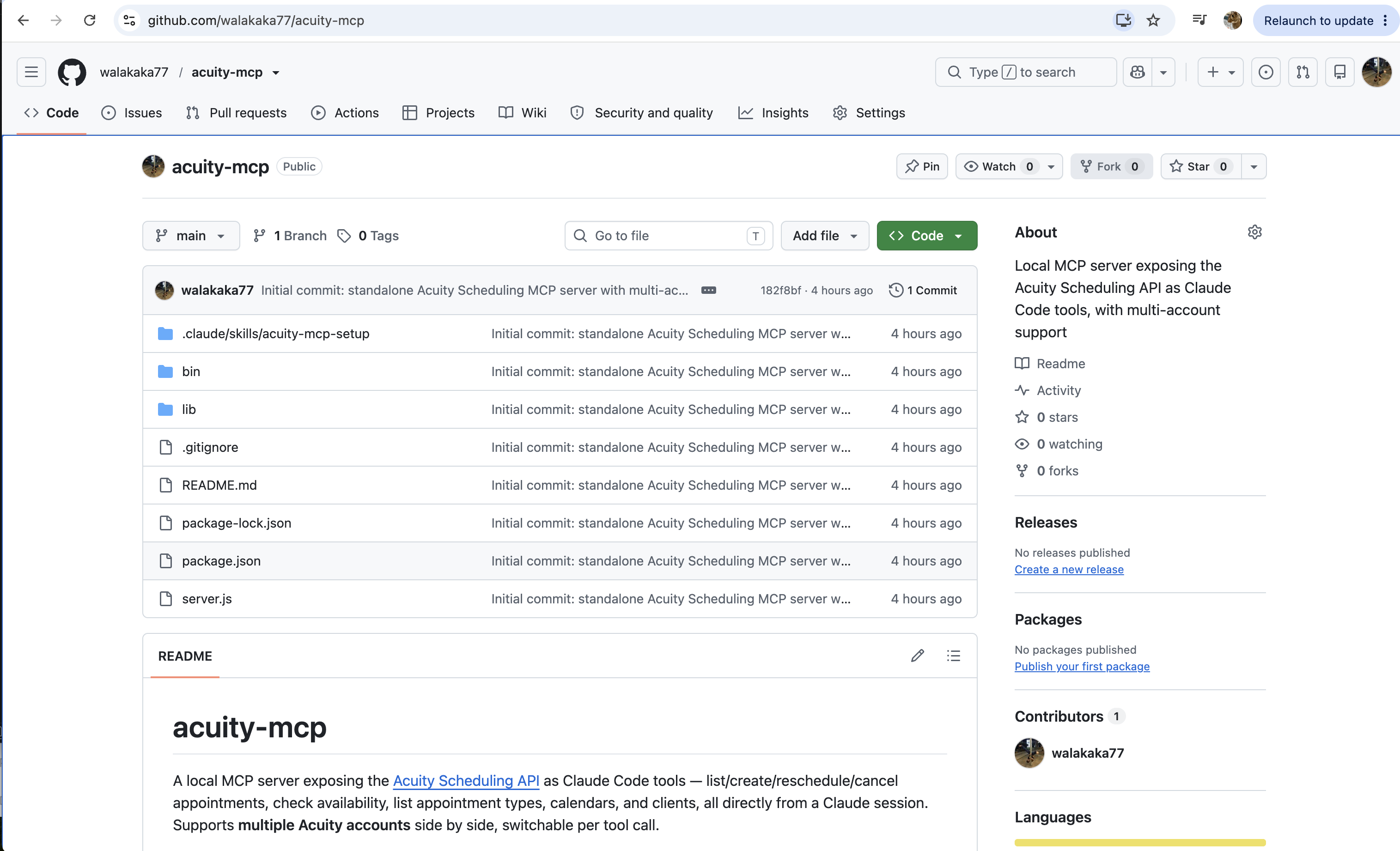
The repo, live and public, right after the push in the previous section.
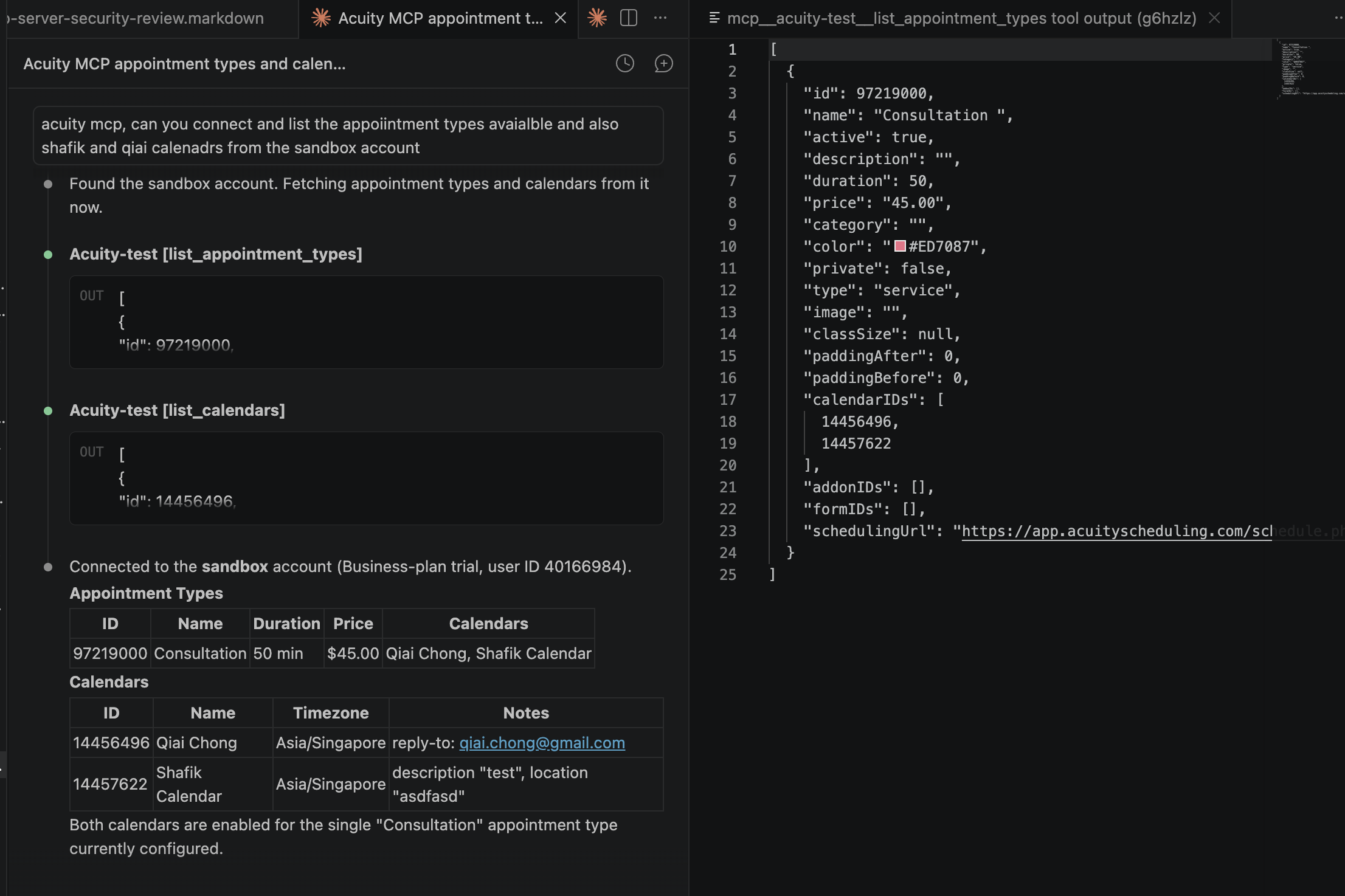
A plain-language request – “list the appointment types available and also the calendars from the sandbox account” – turned into two real tool calls (list_appointment_types, list_calendars) and a rendered summary table, exactly matching the tool discovery mechanics from earlier in this series.
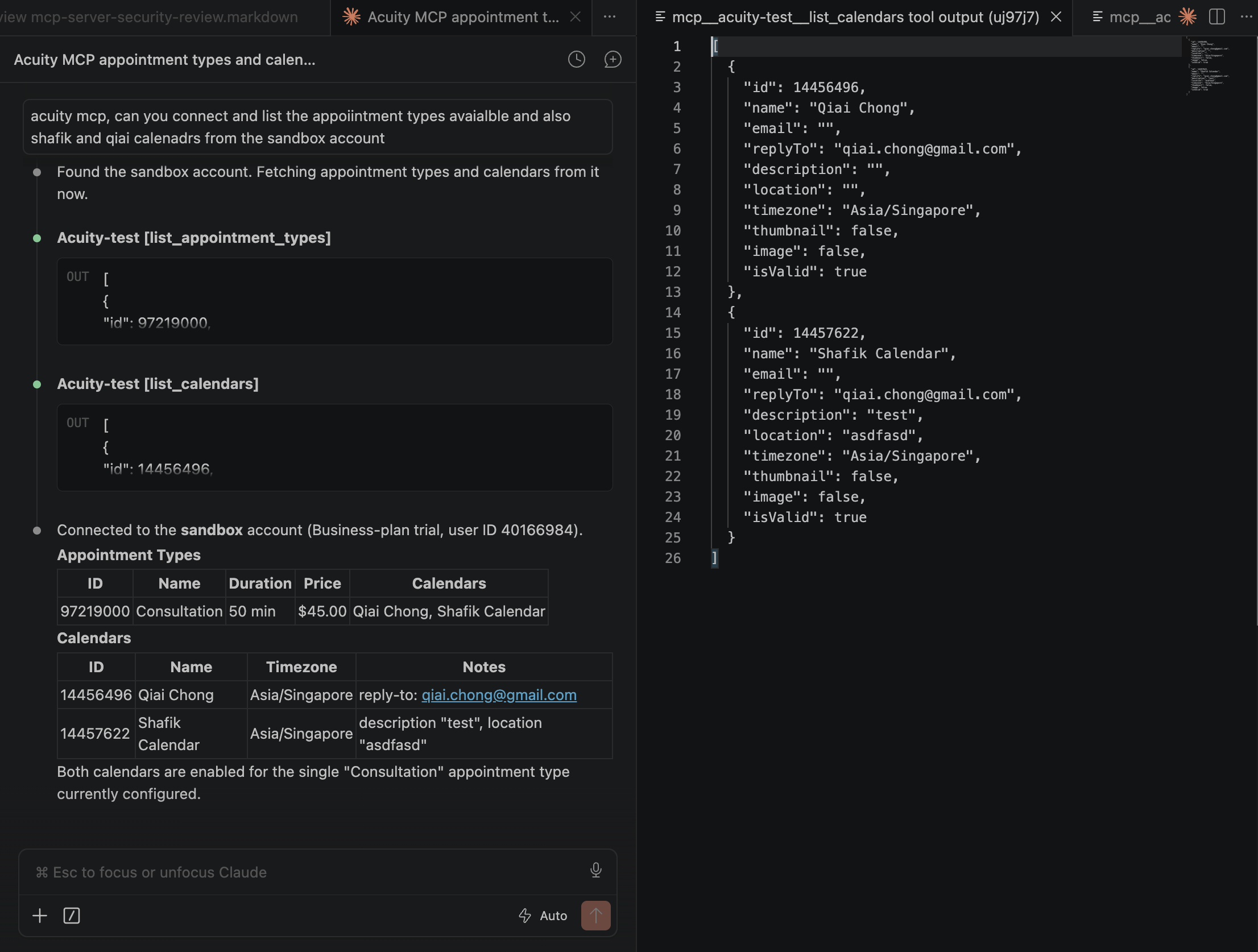
The raw list_calendars response underneath that summary – the same shape of data quoted (and partly redacted) as text in the previous post, shown here in full at your own call, since it’s your own sandbox account.
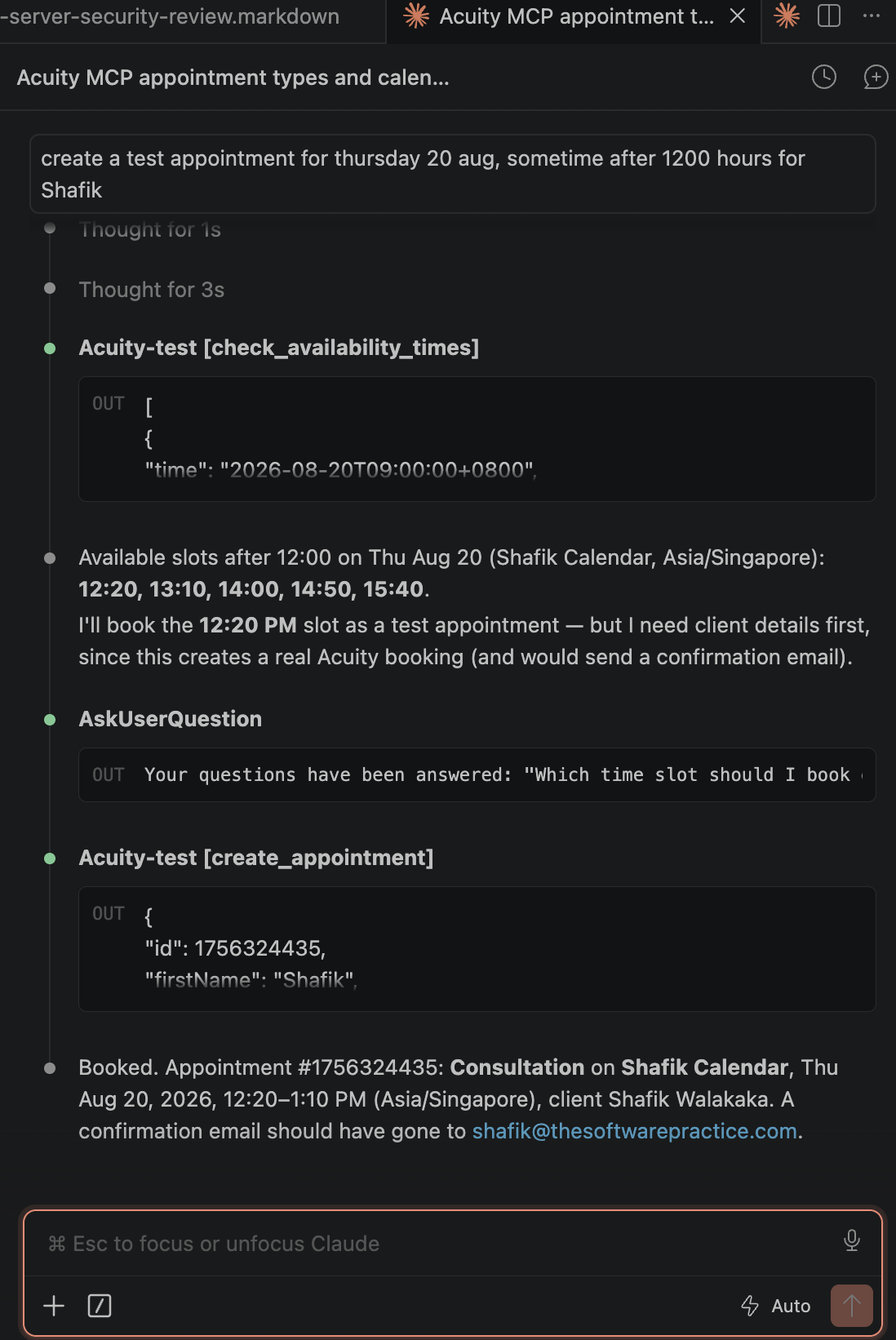
The actual mutating call, end to end: check_availability_times finds open slots, then – before touching anything – an explicit confirmation gate (AskUserQuestion) asks which slot to book, and only after that answer does create_appointment fire. This is the “mutating calls need confirmation” rule from the server’s own setup skill, actually happening rather than just documented.
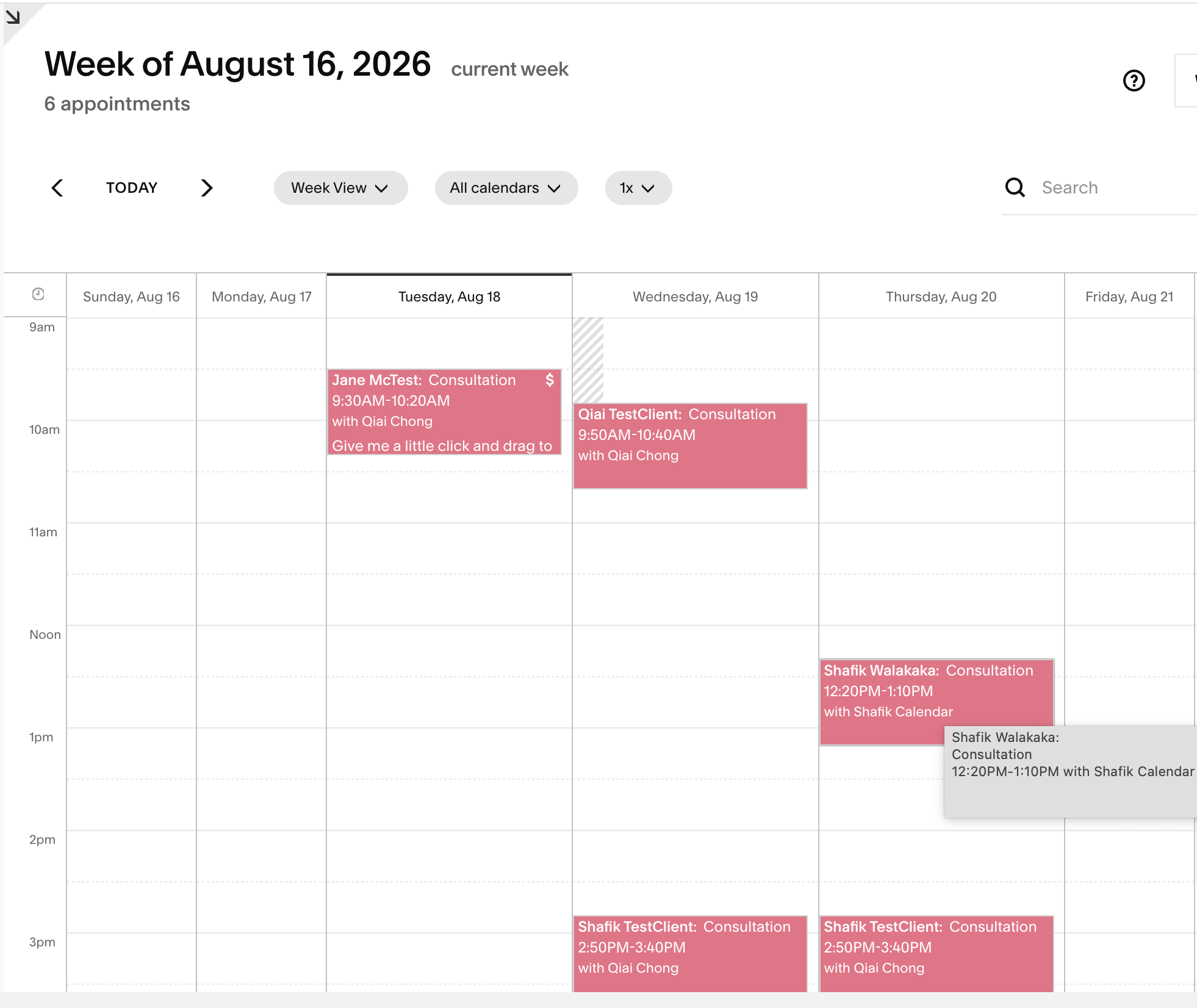
And there it is, on Acuity’s own calendar – not just a JSON response claiming success, but the actual booking sitting on the actual calendar, right where the tool call said it would be.
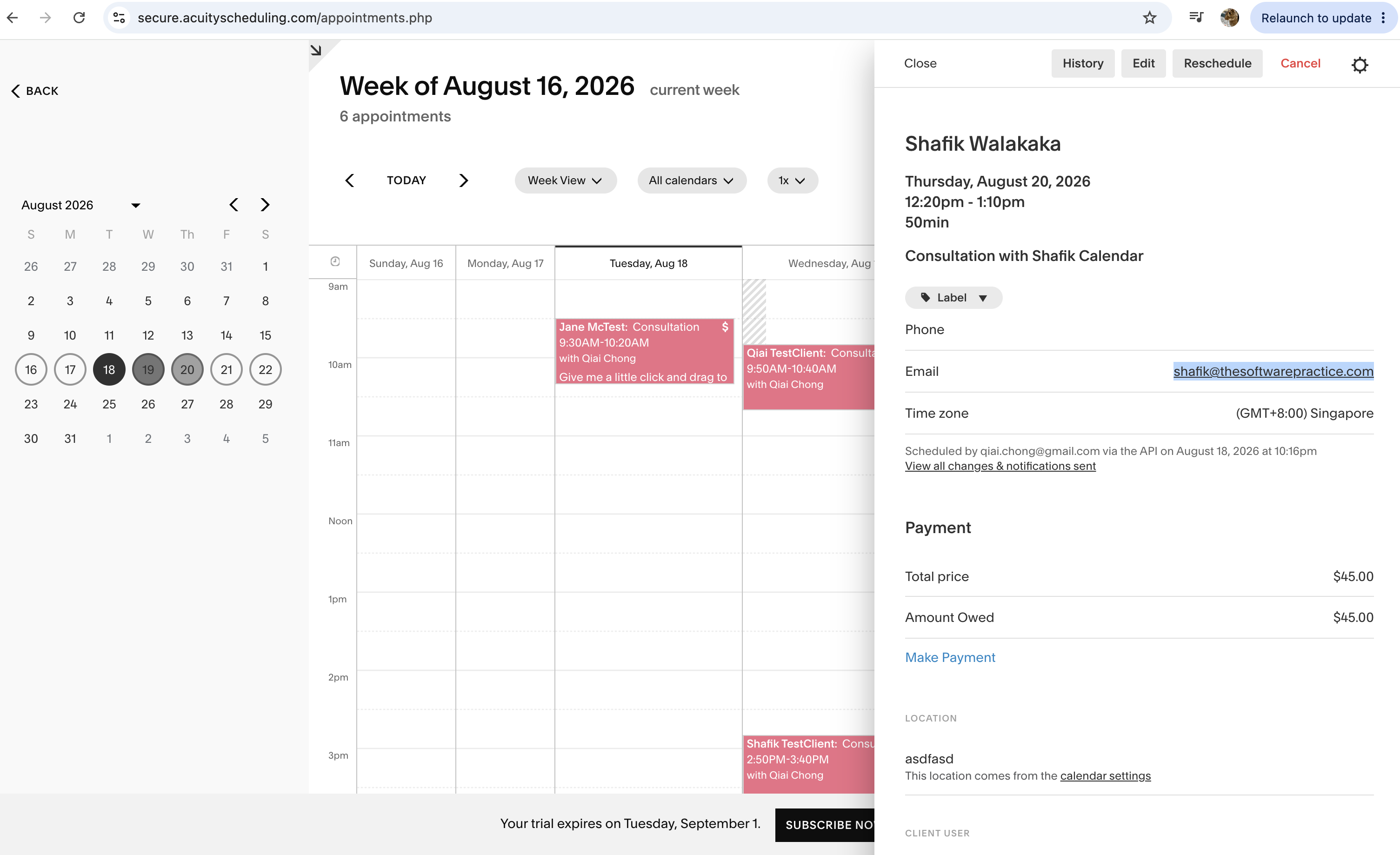
The best receipt of the whole series: Acuity’s own detail panel reads “Scheduled by [email protected] via the API” – Acuity’s own UI independently confirming the mutation actually happened, not just this server’s own say-so. That’s exactly the discipline the previous post’s “200 OK doesn’t prove it happened” lesson argues for – here, verified on the dashboard itself rather than by re-fetching through the API.
What this series covered, in order
- What Even Is an MCP Server? – processes, pipes, stdin/stdout, why this isn’t HTTP
- JSON-RPC, Capability Negotiation, and What Actually Crosses the Pipe – the real message format, negotiation vs. discovery, why an SDK is necessary at all
- The Other Half of the Bridge – correcting the assumption that the target API negotiates too, and the real code that turns a tool call into an HTTP request
- This post – the security review, and proof it actually runs
The throughline across all four: almost every genuinely useful insight here started from a wrong first guess – stdio as a protocol rather than plumbing, tool params fetched in two round trips instead of one, and, biggest of all, assuming Acuity negotiated tools the same way Claude Code does. Writing the correction down each time turned out to be worth more than getting it right on the first guess would have been.
Until next time, peace and love!